
DNS Server and Client Configuration Guide
Note: Make sure you have changed the group ownership of the file , if you have complted configuration of the file but did not change the group ownership then the DNS server did not work.
$ Now you will move on to the client site.
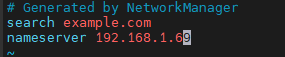
$ In there we have to configure the resolv.conf file , we have to mention the server ip
# vim /etc/resolv.conf
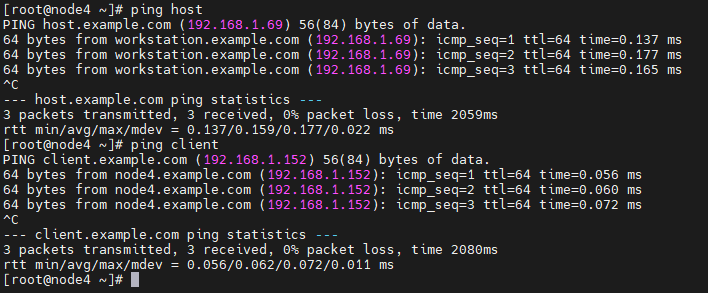
$ We have to check with domain name it was pinging or not
# ping host
# ping client
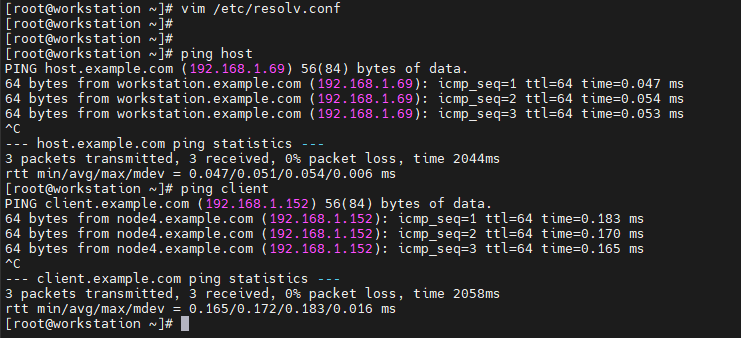
$ In server site also we have to check its pinging or not
# ping host
# ping client
Note: Make sure you are in the same Network .
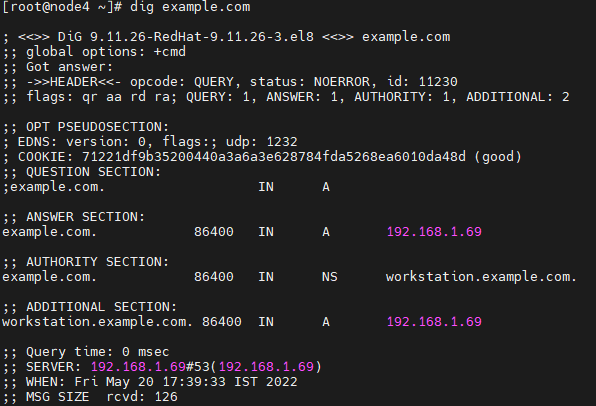
$ We have to run one more command , after running this command in the answer section we are getting the server ip .
# dig example.com
No comments to display
No comments to display