🚫 PRODEVANS CONFIDENTIAL – Do Not Copy or Share 🚫
Skip to main content
BookStack
View All
Search
Shelves
Books
Log in
Info
Content
Books
Google Workspace SSO I...
Google Cloud Configura...
Create New Project
Create New Project
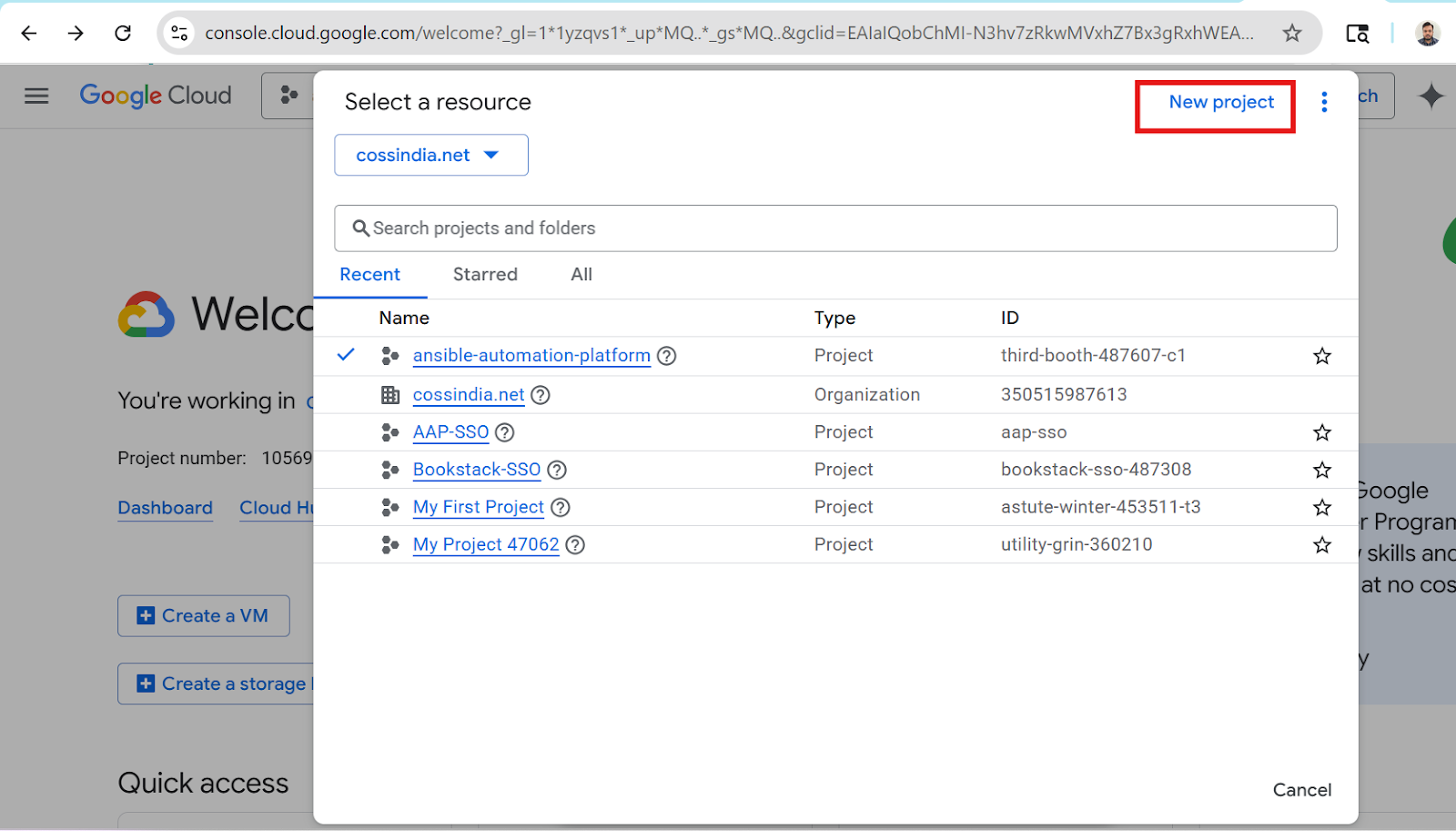
Create Google Cloud Project
Steps:
1.
Click
"Select Project"
2.
Click
"New Project"
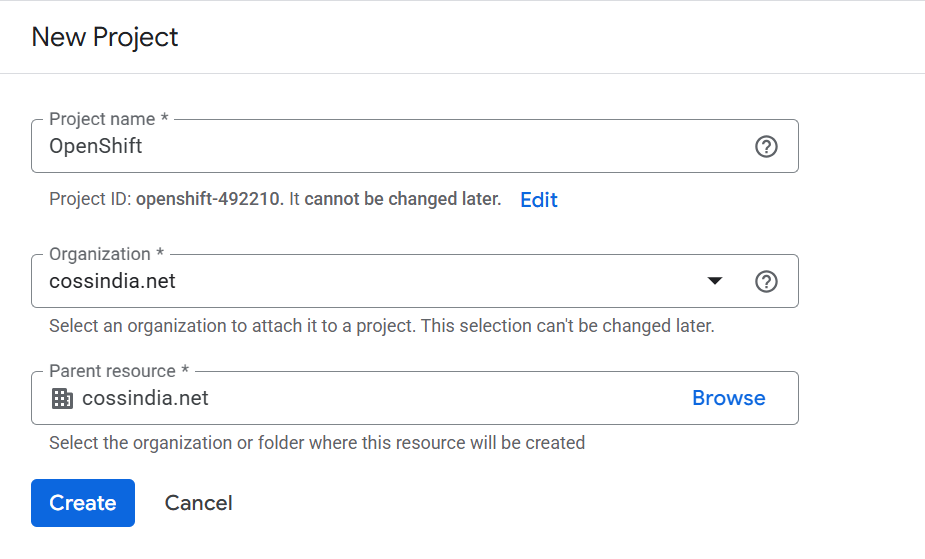
3.
Enter Project Name
4.
Click
"Create"
Enter section select mode
Previous
Login to Google Cloud Console
Next
Enable APIs & Services
0 Comment Threads
0 Archived
No comments to display
No comments to display
Back to top

No comments to display
No comments to display