🚫 PRODEVANS CONFIDENTIAL – Do Not Copy or Share 🚫
Skip to main content
BookStack
View All
Search
Shelves
Books
Log in
Info
Content
Books
Google Workspace SSO I...
Google Cloud Configura...
Configure OAuth Consen...
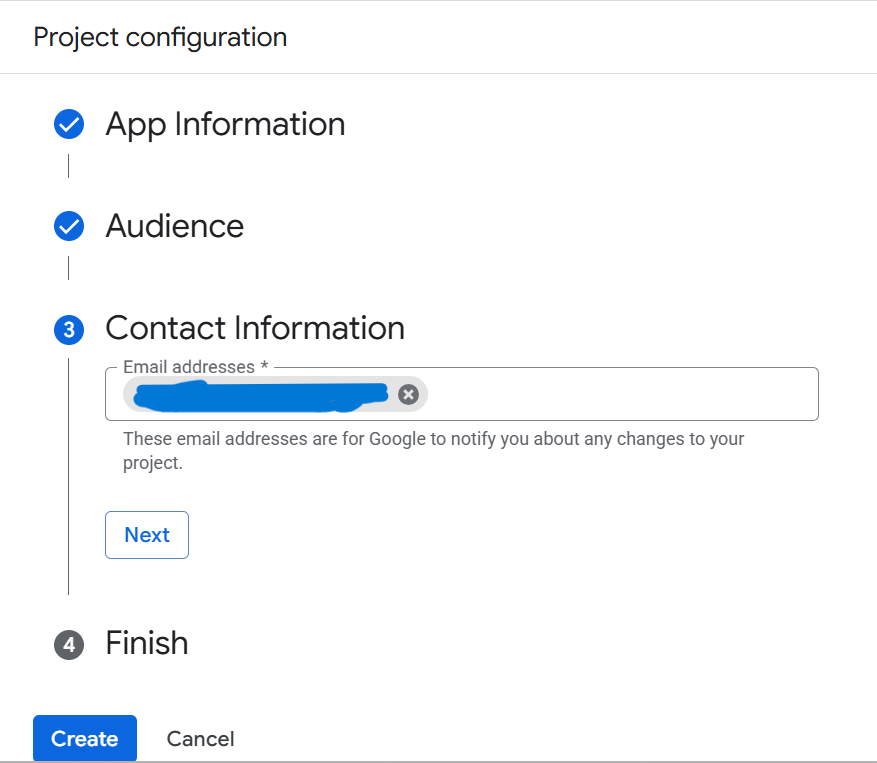
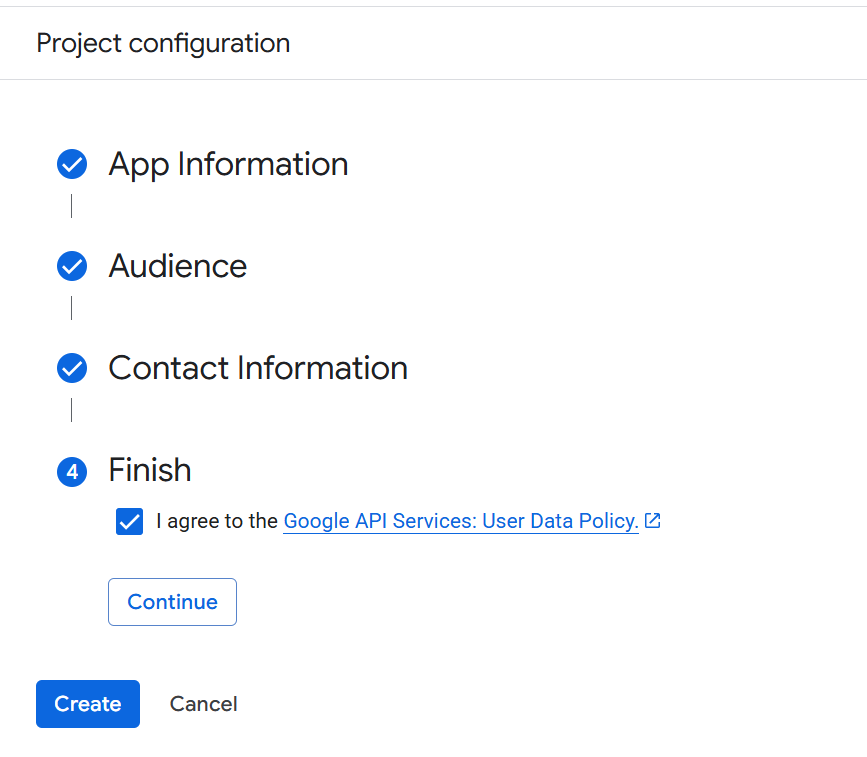
Configure OAuth Consent Screen
Configure OAuth Consent Screen
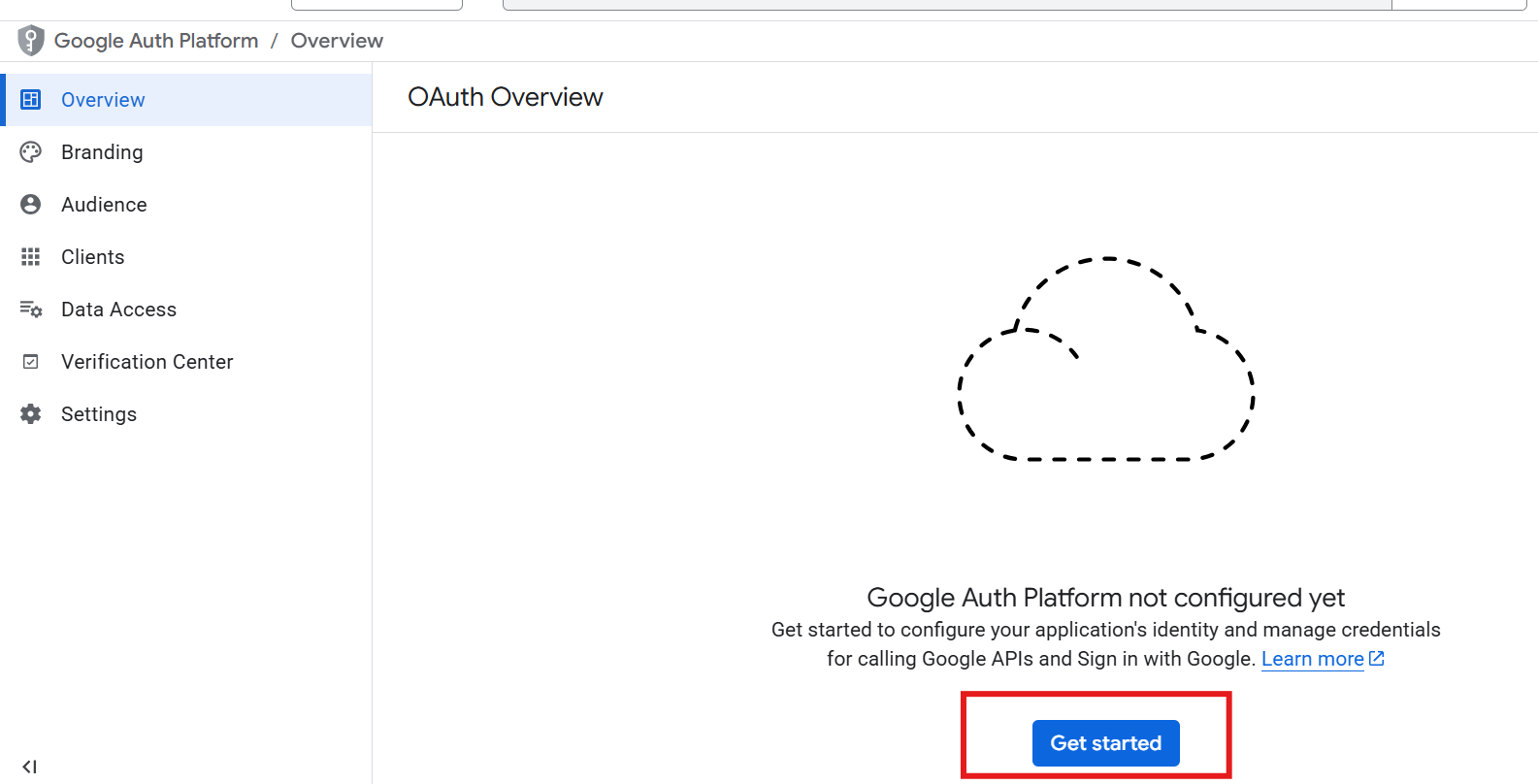
Steps:
1.
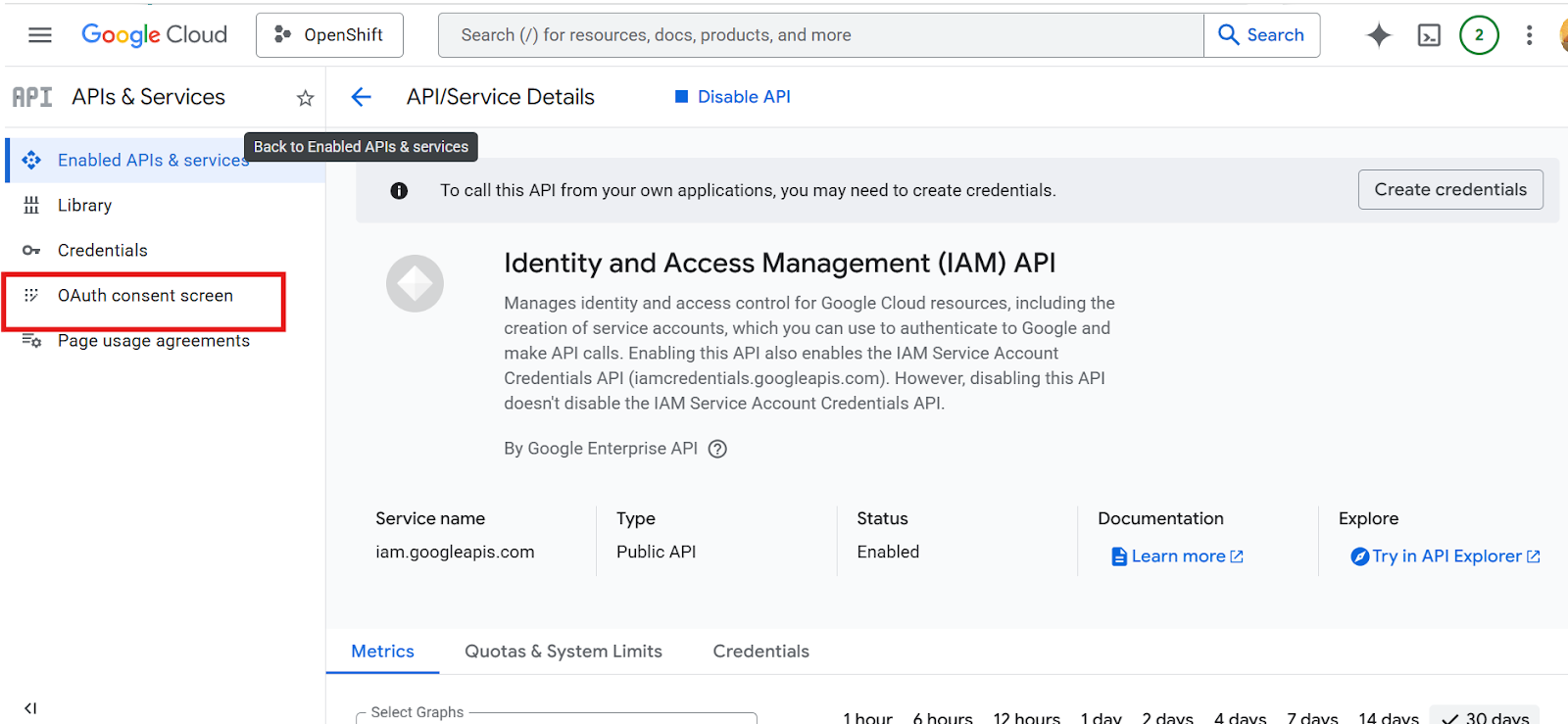
Go to
"OAuth Consent Screen"
2.
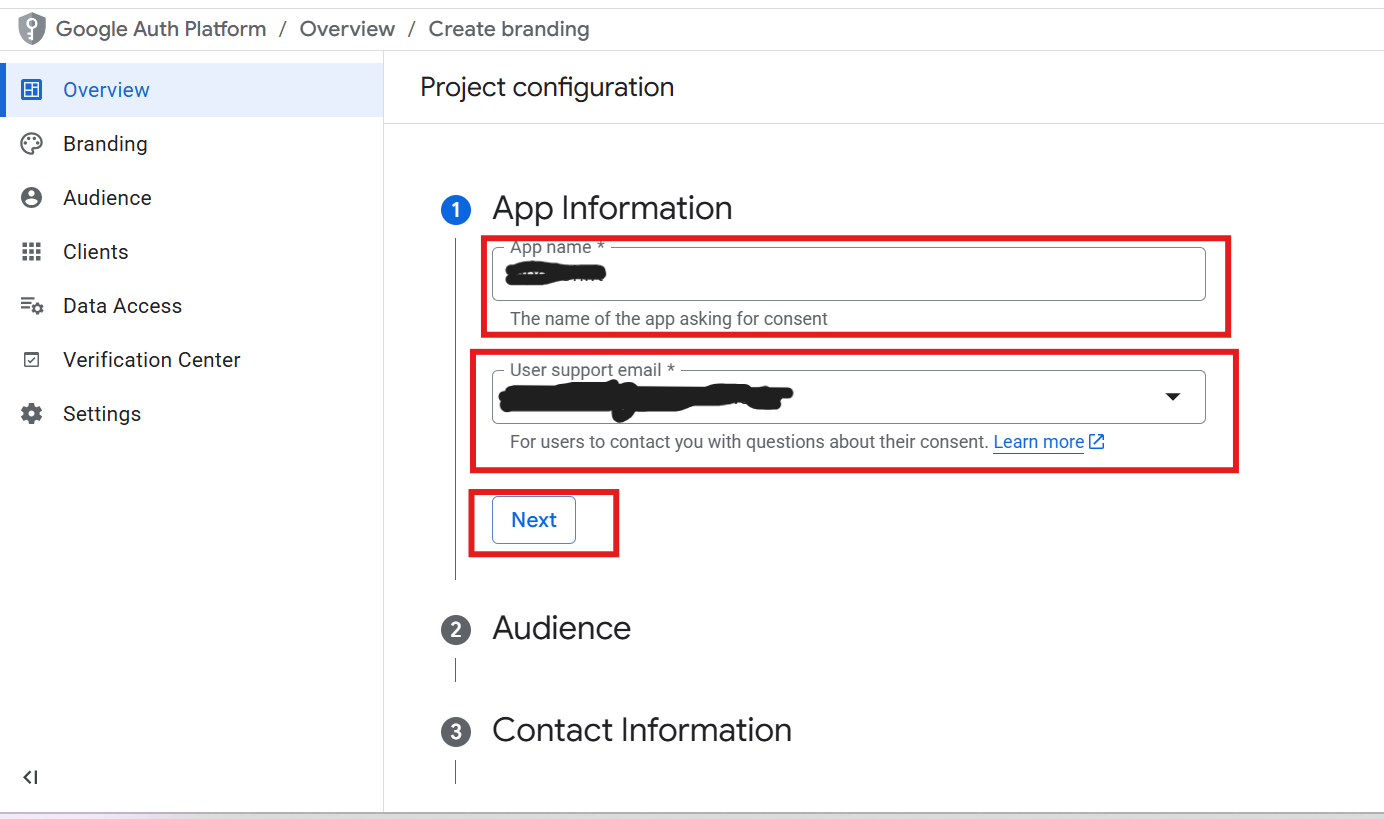
Fill required details:
- App Name
- Support Email
- Developer Email
3.
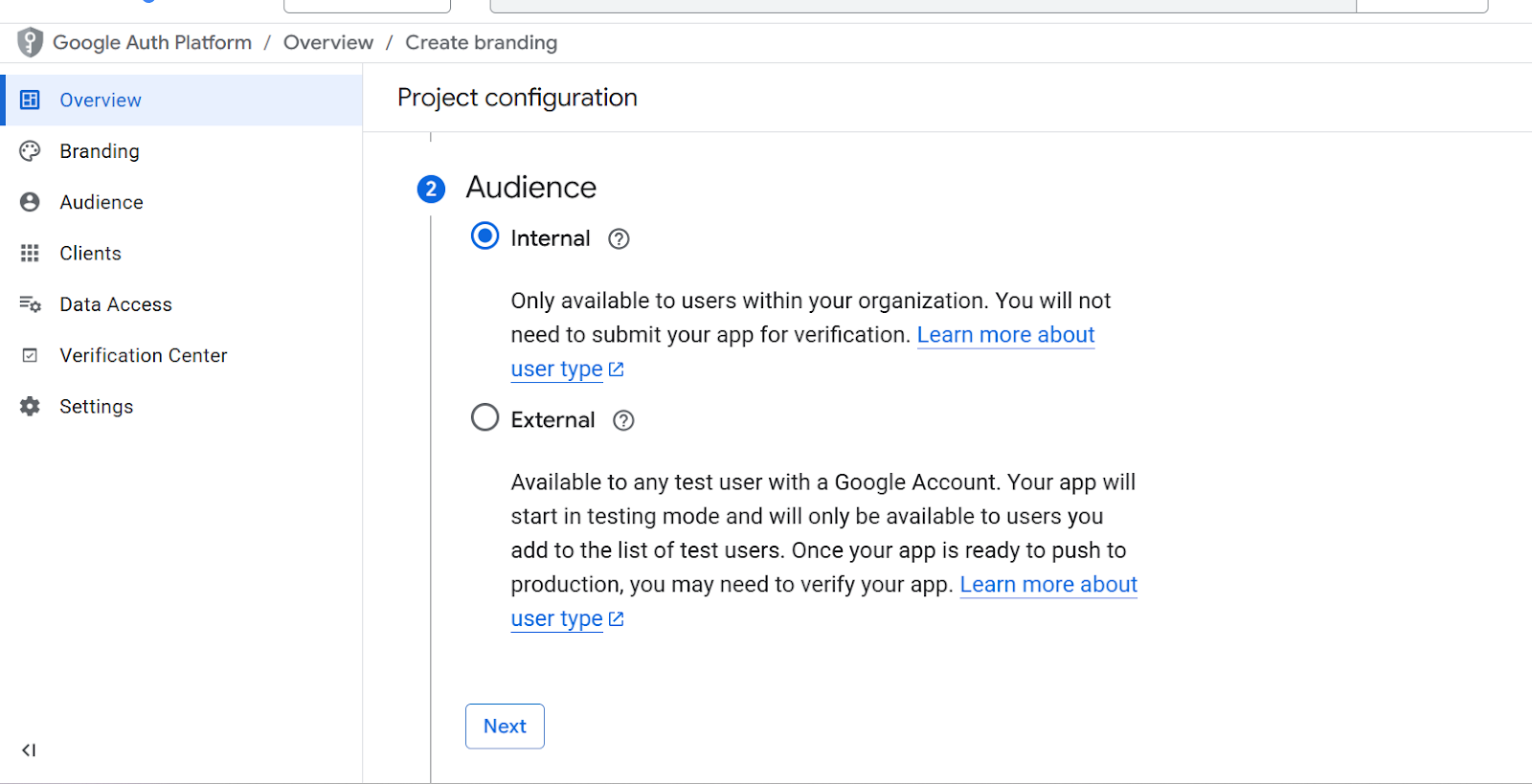
Select User Type:
- Internal (for organization)
- External (public)
4.
Create and Continue
Important Notes
- Add authorized domains if required
- Add test users if in testing mode
Expected Result
Consent screen configured successfully
Enter section select mode
Previous
Enable APIs & Services
Next
Create OAuth Client ID
0 Comment Threads
0 Archived
No comments to display
No comments to display
Back to top

No comments to display
No comments to display