🚫 PRODEVANS CONFIDENTIAL – Do Not Copy or Share 🚫
Skip to main content

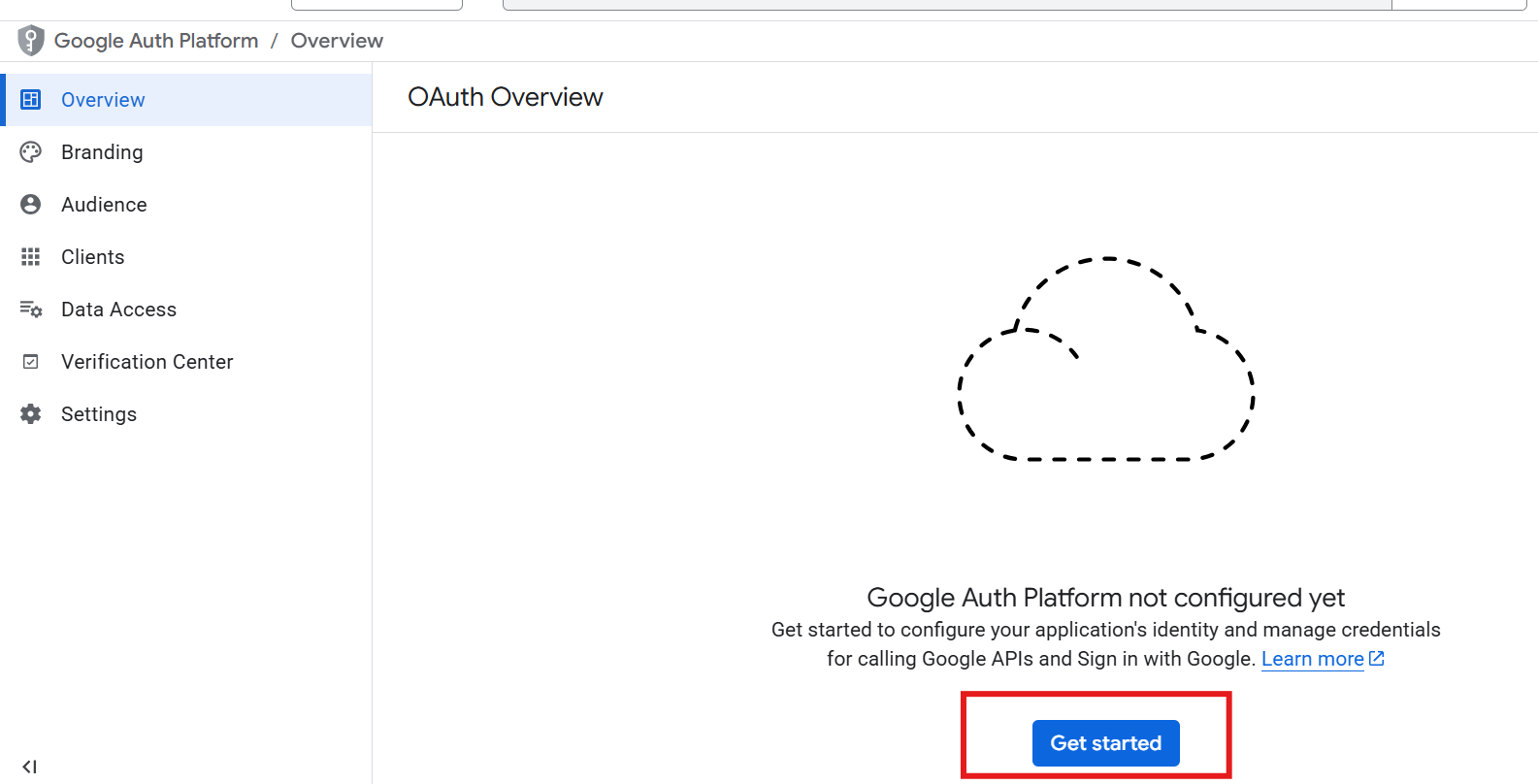
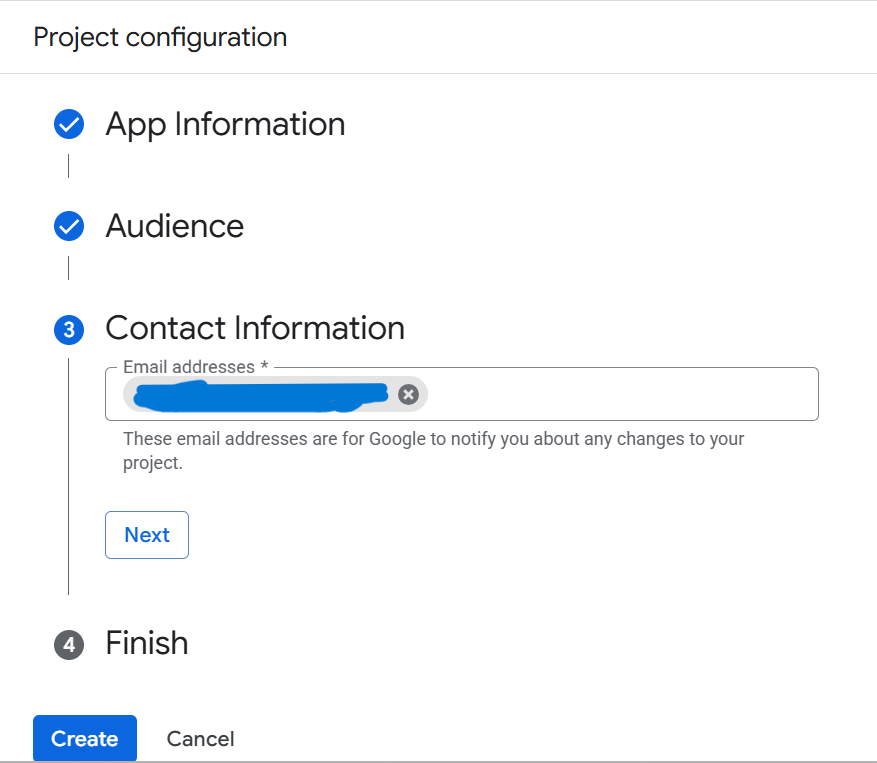
Configure OAuth Consent Screen

Configure OAuth Consent Screen

Steps:
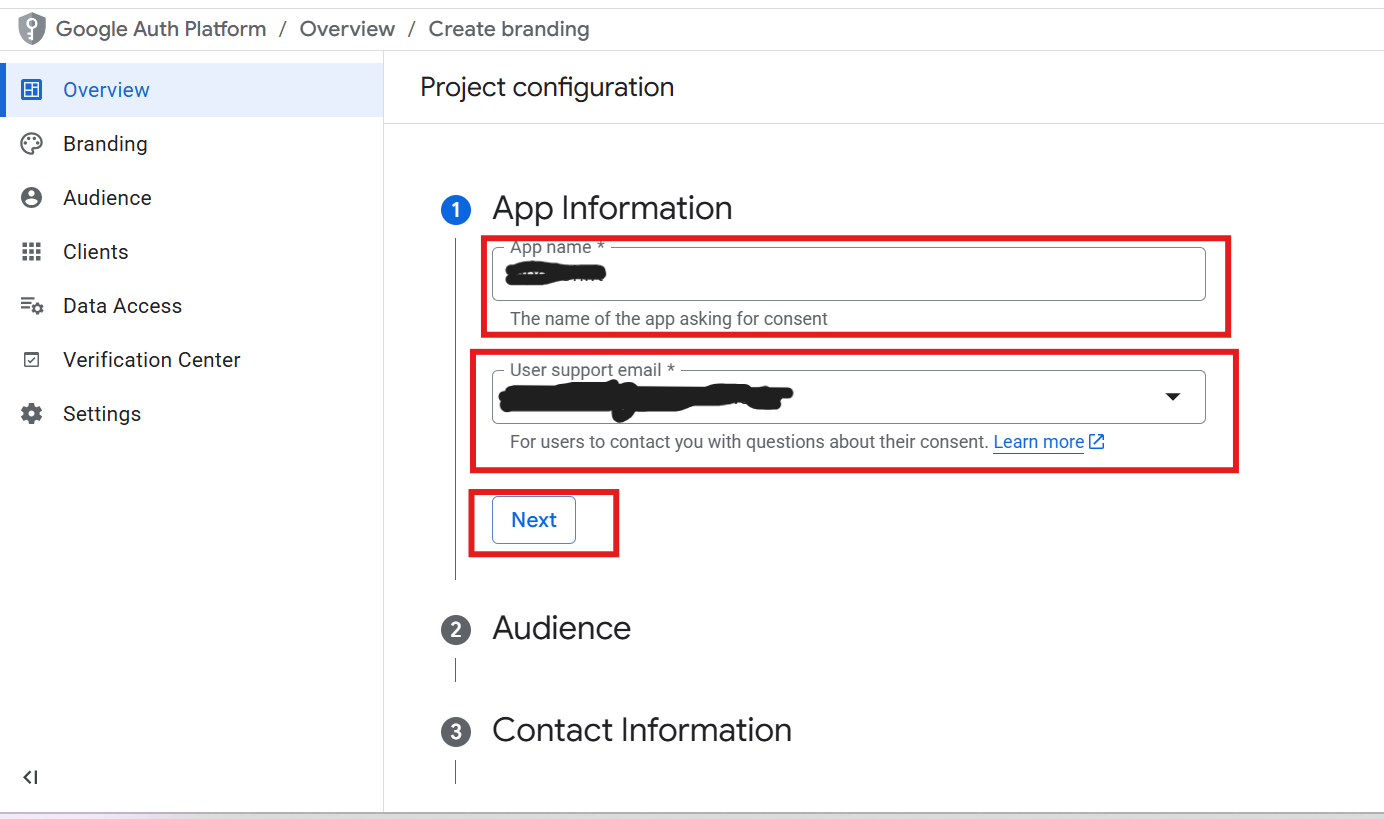
1. Go to "OAuth Consent Screen"
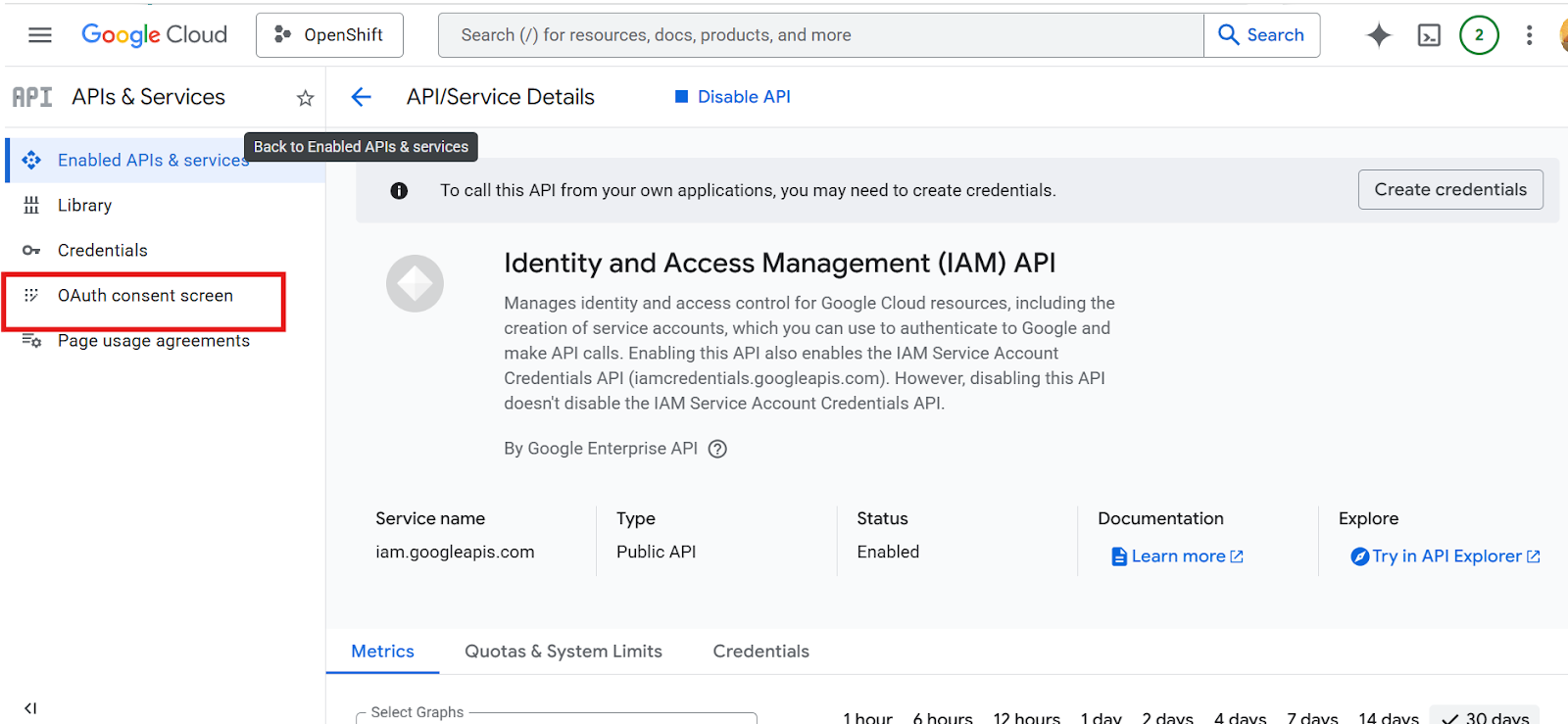

2. Fill required details:
- App Name
- Support Email
- Developer Email
zDV4oDhW3OfSyTiz-embedded-image-k3sihhzd.png

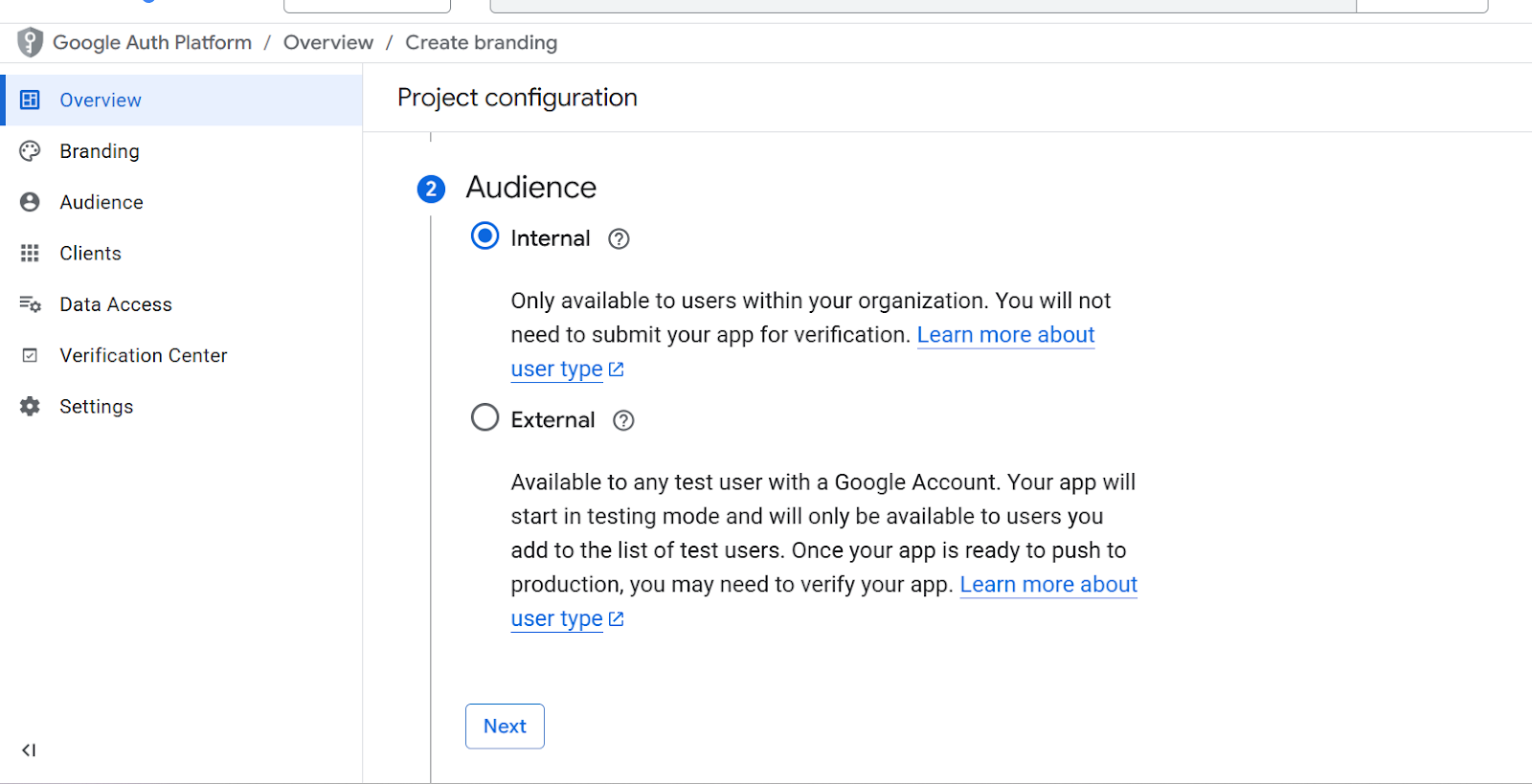
3. Select User Type:
- Internal (for organization)
- External (public)
0dGi1JXv2L3szhe9-embedded-image-aum4tf0z.png


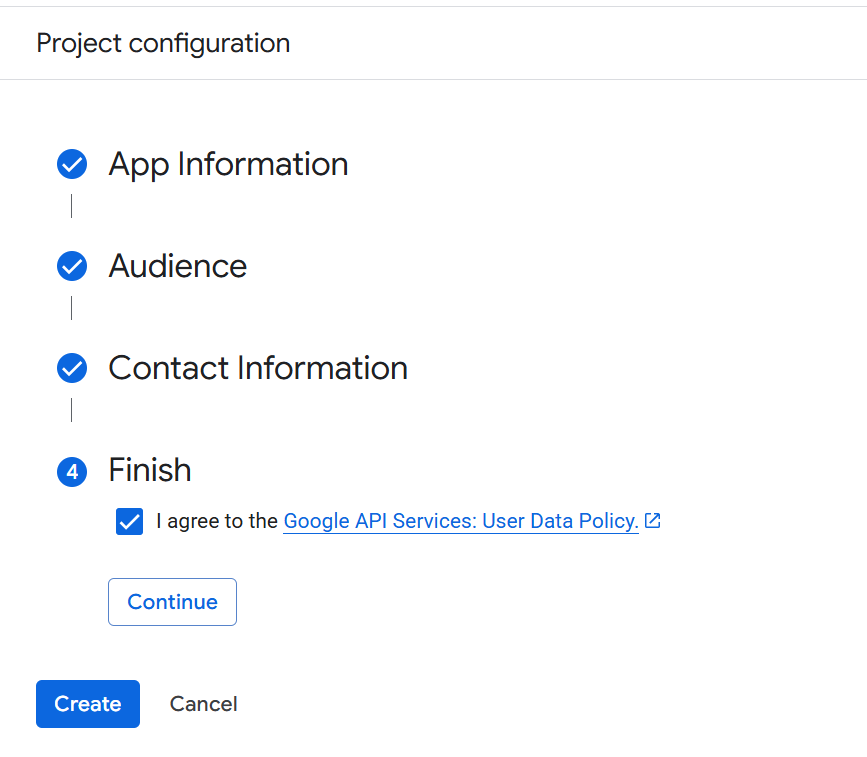
4. Create and Continue


Important Notes
- Add authorized domains if required
- Add test users if in testing mode

Expected Result
Consent screen configured successfully